Home Blog Page 151

Guide: 10 More YouTubers that Deserve More Subs

YouTube is a massive platform and with such a huge amount of content on the site to choose from, it’s easy to exclusively watch the popular videos that YouTube is constantly recommending to you.

However, there are SO many worthy creators beyond the names you’re always hearing about. Where can you find them? You can start right here! These are 10 YouTubers with under 100,000 subscribers that you should watch out for.

1.Rowan Ellis

Rowan Ellis creates informative videos discussing pop culture, activism and self-care from a feminist and queer perspective. She is an incredible advocate for LGBTQ+ and women’s rights and her content is absolutely what the world needs today. You will be in awe of how outstandingly smart Rowan is, but even more important, you’ll fall in love with her warm energy and humor.

A natural storyteller with hair as colorful as her personality, she allows herself to be vulnerable on camera and creates the safest of spaces on her channel. Rowan reflects the experiences of so many LGBTQ+ people in her videos and reassures her audience that they truly aren’t alone. So if your life is missing a cool, queer aunt who will be honest with you, teach you LGBTQ+ history and validate your existence, then head over to Rowan’s channel to have that void filled. You certainly won’t regret it, and your outlook on life will be improved because of it.

2. Ben From Canada

This next YouTuber has a real talent for beautifully capturing life on camera. A Canadian living in Glasgow, Ben shares with us his travels, thoughts and friendships in a way that touches hearts and minds. Ben’s channel manages to highlight the splendid simplicity that life holds, conveying a great love for being alive that viewers are able to absorb with each second of his content.

Ben’s an incredible example of somebody who is a natural in front of the camera as well as behind it. In his video ‘how to be happy,’ Ben talks about being happy to be yourself, and not somebody else. It’s such an important message, and quite frankly, we’re lucky that Ben is being himself and sharing that with us because his creations are pure magic on screen.

If you love YouTubers who make well-crafted content that’s filled with truth, then you must check out his channel. You won’t be disappointed.

3. Marinashutup (Marina Watanabe)

On Marina’s channel, she explores social and political issues from a feminist and intersectional perspective. The content she creates is so important and informative, filled with wit, sarcasm and a talent for holding viewers’ attention. Marina has been blessing YouTube with her videos for years, helping us all to have a better understanding of feminism and encouraging us to consider issues from an intersectional viewpoint. There is so much to learn from Marina’s channel, whether it’s about gun violence, queer issues or gaining a deeper insight into ‘Crazy Rich Asians.’ She’s a truly amazing educator, and you will be doing yourself a disservice if you don’t open yourself up to the wisdom and humor that her channel has to offer.

4. Angela Innes

If you haven’t heard of Angela Innes, then let me tell you, you need more green in your life. Angela is one of YouTube’s poets and she’s a wonderful one at that, choosing marvelous combinations of words that will cause your heart to flutter. Her poems are gorgeously crafted and performed in such an honest, emotive way. She also creates endearing chatty vlogs, a recent one recapping her skydive. Who knew that somebody talking about jumping out of a plane could bring you to happy tears? But Angela manages to do it in her video.

If you enjoy poetry that puts life as we know it into beautiful eloquence, then you’ll adore Angela’s channel. She has a natural gift for moving her audience and they come away happier because of it. If you want to see life from Angela’s perspective, be sure to give her videos a watch — they’re definitely worth it.

5. Estevan

For charming, gay travel content, you have to check out Estevan’s channel. Estevan is a Los Angeles-based writer and YouTuber making positive content to inspire and entertain his audience. The videos he creates are an absolute pleasure to watch, consisting of stunning visuals that gift you with a severe case of wanderlust. And of course, he and his boyfriend John light up lives and warm hearts, spreading love around the world through sharing theirs.

Estevan is very open with his viewers, expressing his thoughts as he records his adventures. He vlogs as he wanders around different cities but he also sits down and chats in one location, talking about his favorite skin and hair products, collaborating with friends and revealing his coming out story. He is completely himself and it’s wonderful to watch, so if you want to feel uplifted, his channel is the perfect place to go. He’ll remind you that pure love exists and this planet is beautiful.

6. Annie Elainey (Annie Segarra)

Annie Elainey is a YouTuber who is bringing so much good and insight onto the platform. She identifies as a queer disabled (Ehlers-Danlos Syndrome) Latinx woman and on her channel, she talks about her experiences surrounding this. Annie does an excellent job of hosting important discussions and teaching us how to be better allies, making us aware of issues that most certainly aren’t talked about enough.

Their content is informative and well-articulated, sharing thoughts on disability, body image, LGBT topics and gender equality, as well as creative content consisting of artistic media and short films. They are an amazing individual and speaker with so many important words to share, and giving them the attention they deserve will make you a more informed, socially aware person.

7. Neonfiona

The always-entertaining neonfiona brings so much personality to YouTube — if you’re feeling a bit down, her energy is bound to put a smile back on your face. Fiona’s content is an absolute joy to watch, covering various topics on her channel such as travel, non-monogamy and coming out. Whether she’s filming adorable vlogs with her girlfriend Riley, playing light-hearted games whilst collabing, or sharing information surrounding being in an open relationship, you’ll want to keep watching more because her aura is infectious.

If you like Australian accents, laughter and pretty locations around the world, Fiona’s channel is definitely for you, ticking all of those boxes and so much more. She’s somebody you need to see in your subscription feed, for everything she makes is worth a watch.

8. Ahsante the Artist (Ahsante Bean)

Ahsante the Artist makes wonderful, artistic videos that aim to help you move consciously and creatively through life. Her videos are full of personality, information and creative elements; they exist to inspire, and inspire they do. From your psyche, to your career, to your perspective, Ahsante produces relatable content that will leave you feeling better all-round. She gives us honesty, A+ editing and great advice. The authenticity and humor that she brings to her channel, along with her inspirational outlook on life, will make you feel at peace with yourself whilst simultaneously energized.

Ahsante claims she wants to make the world a better place and she certainly achieves this, being an extremely positive influence and somebody that we can all learn from, regardless of where we are in life. If you’re looking for a channel to help you learn and grow, Ahsante is offering many of the answers for free, and YouTube is so lucky to have her.

9. Craig Simmonds

If you’re a fan of breath-taking cinematography and vlogs full of warmth and honesty, then this channel is for you. In an authentic and beautiful manner, Craig captures the world around him on camera. His videos make you feel cozy and satisfied as he shares with you his photos, thoughts and travels, causing viewers to fall in love with how the world can look. Craig’s channel also presents us with spoken word, illustrating his perception of life through language as well as stunning images.

If you want to step into a video and feel like you’re listening to a friend, then you can’t give Craig’s channel a miss. His talent speaks for itself and his personality shines through his creations. They’re of such high quality in every way, so they most definitely deserve to be on your to-watch list. Consider bringing a hot drink with you, because you may notice that Craig’s videos are the visual equivalent of a perfect cup of tea. Between British people, there’s no better compliment than that.

10. Amillionmadmusings (Gemma Dunnell)

Gemma’s channel is a wonderful reflection of herself and the things she’s passionate about. Her videos explore all kinds of topics, such as internet friendships, bisexuality, Doctor Who and growing up. There’s something to entertain everyone, including her series ‘Tipsy OTPs’ in which she talks about her One True Pairings whilst tipsy, giving her audience lots of laughs in the process.

Gemma is a creator who is naturally funny, enthusiastic and extremely engaging; she’s committed to her channel and it truly shows in the videos that she posts online. She’s a YouTuber full of charm, and if you want to have a good time, her channel is the hot place to be, so be sure not to overlook this content creator on the rise.

Hopefully, some of these channels have drawn you in and you’re on your way to subscribe right now, but are these 10 YouTubers not enough for you? Read our previous guide to 10 YouTubers that Deserve More Subs to discover 10 more excellent channels that deserve your attention! Our smaller YouTubers are such an important part of the platform, and the ones listed here will all brighten up your subscription feed with something wonderful to offer.
What makes the best video essays so great?

“Video essay” is a somewhat pretentious term, isn’t it? I’m saying that as someone who makes them for a living, so I feel like I have room to critique my life choices.

If you don’t know what a video essay is, just think about a regular essay, but with accompanying visuals and music. It’s really that simple. There’s a misconception that video essays on YouTube exist specifically to critique, explain or analyze films — and indeed it seems that a vast majority of video essays do precisely that — but there’s no limit to what a video essay can tackle, just as there’s no limit to what someone can focus a written article on. Games, music, a public figure — all are fair game.

But what is a video essay really?

While there will likely be arguments about what precisely qualifies as a proper Video Essay™, probably the main signifier is that they tend to raise a claim or state a thesis, and then provide arguments to back up their idea. It’s a similar distinction between a think piece and documentary. Rather than merely presenting facts about a subject and calling it a day, a video essay tends to be more personal and opinionated, sparking an interesting discussion around analyzing the subject matter.

It’s that additional analytical element that moves it into video essay territory.

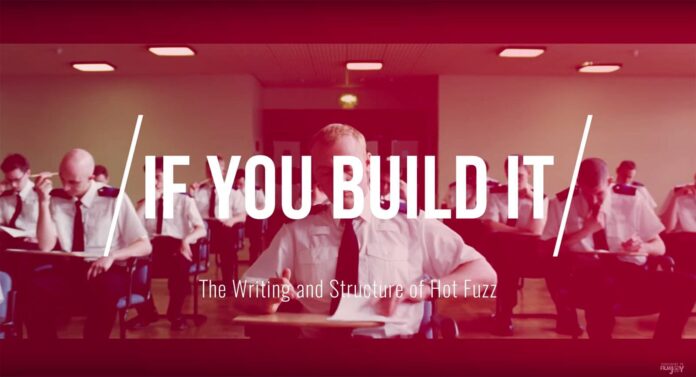
That analysis is a critical component that separates video essays from reviews of media, as well. Movies with Mikey from the YouTube channel FilmJoy is a fantastic YouTube series that is part review and part film analysis. In one of my favorite episodes, Mikey doesn’t just review Edgar Wright’s “Hot Fuzz” but also explores how films can become more culturally relevant in the years after their release. It’s that additional analytical element of the review that movies the episode into video essay territory.

Video essays have a tendency to be voiceover readings set to accompanying visuals of the topic they are discussing, but the exact format will differ from presenter to presenter. Natalie of the YouTube channel ContraPoints, for example, presents her ideas about culture and politics more often on camera with slick visuals than through voiceover. Does that disqualify her videos from being “true” video essays? Absolutely not.

ContraPoints

Alternatively, a channel like CinemaSins technically hits a bunch of the criteria we’ve outlined — presented through voiceover, critiquing media, etc. — but they aren’t trying to argue a thesis about the movies they critique other than “movies have flaws sometimes,” which… I mean… yeah. Good job, gang.

So how do I make one of these things?

With that somewhat complicated and not at all exhaustive explanation of what video essays are, how do you go about making one? More specifically, how do you make a good one?

“Intellectual accessibility, an engaging host, and hard-hitting evidence” is the formula for making a great video essay according to Max Marriner, who hosted the video essayist networking panel at VidCon 2018. “Like, if you’ve ever seen Egoraptor’s Sequelitis on Mega Man, it’s basically THAT.”

Sequelitis — Mega Man Classic vs. Mega Man X

Arin Hanson’s 2011 video essay about game design titled Sequelitis — Mega Man Classic vs. Mega Man X might be relatively old by internet standards, but it’s amassed over 13 million views in those last 7 years. “Entire towering principles of video game design are conveyed into understandable, digestible information that anyone, whether invested in the medium or not, can understand,” Marriner observes, “I personally think it’s the best video essay of all time.” Marriner believes this specific video has continued to resonate with viewers because it “encapsulates everything great about the video essay format.”

The video essays that stand out tend to be well-researched presentations on a topic that deserves a fresh look.

While hot takes about “The Last Jedi” will apparently always get thousands of views forever until the internet rots away, the videos essays that stand out the most tend to be well-researched — perhaps overly researched — presentations on a topic that either doesn’t get enough attention or that deserves a fresh look from another angle.

Why are some video essays better than others?

A video essay I’ve watched more than I should have is H. Bomberguy’s Sherlock Is Garbage, And Here’s Why. It’s a nearly two-hour long takedown of the Benedict Cumberbatch Sherlock Holmes television show, and it’s glorious! The BBC series is far from a little-known, niche program, but H. Bomberguy’s video takes the time to thoroughly breakdown Sir Arthur Conan Doyle’s cleverly constructed characters, the elements that make a Sherlock Holmes story irresistible, and Steven Moffat’s style of writing as the co-creator of the tv series, with a deep dive into Moffat’s other work for comparison.

H. Bomberguy’s Sherlock Is Garbage, And Here’s Why

It’s brutal, it’s hilarious and it’s full of H. Bomberguy’s personality, which has made me and many others come back to this feature-length video essay time and time again. Pairing your distinct style with your unique thesis is what video essays are all about!

YouTuber Matt Draper, who makes videos about movies and comics, explained what makes an excellent video essay far more succinctly and effortlessly than I’ve been trying to do here. “It’s gotta be a blend of style and substance. The style is why it’s a video — interesting visuals, strong editing, music that supports the tone of the video. The substance comes from strong writing with a well-supported point — it’s the reason for it existing in the first place.”

How your Audience Informs your Vlogging Style

So, you’ve been vlogging for a while and you’re thinking about mixing up your style. We all want to continue growing and improving our videos, but we don’t want to leave our current audience behind.

In trying to remain authentic to your audience, your brand and yourself, it’s helpful to determine what exactly about your videos resonates with people. As far as what attracts an audience, there are two main categories of vloggers:

Personality-Driven

Personality-driven vloggers have big on-camera personas and are often silly or dramatic. They bring high energy, unique characters and a focus on entertainment value. This category includes vloggers who make pop culture reactions, comedy sketches and storytime videos. The way these vloggers present their perspectives is what keeps the audience coming back.

MacDoesIt stands out with his high-energy presentation style, characters, and humor.

Idea-Driven

Idea-driven vloggers rely on their thoughts and interpretations resonating with viewers. The focus is on the information being presented. This includes vloggers who make cultural analysis, life reflections, educational videos and tutorials. The audience comes back to these vloggers because they are insightful and informative. To learn more about attracting views in this vertical, read our article on A Different Approach to Getting Views for Your Educational YouTube Channel.

ItsRadishTime focuses her vlogs on personal stories and reflections that reveal life lessons.

The Right Mix

These categories are not mutually exclusive, and many successful vloggers have a bit of both. A strong on-camera presence is helpful for any vlogger. Using humor can be an effective way to get a point across. And choosing relevant topics and titles can help new viewers find your channel before they know your personality.

But many channels lean more towards one category than the other. If you focus on being fun and high-energy, don’t feel like you need to force lessons into your videos. If you focus on being thoughtful and perceptive, you don’t need to be a comedian if that feels inauthentic. Figure out why your audience watches you, and find the best way to serve that need.

Jarvis Johnson provides a unique blend of humor, relatability, and life advice in his vlogs.

Here are a few questions to consider as you’re deciding how to develop your vlogging style:

What makes your audience watch?

This is a time to dig into your YouTube analytics. What types of videos get the most views and comments? Based on click-through-rates, what titles are your audience the most interested in — ones that suggest a personal experience or ones that promise information? Where does the audience retention graph usually drop off within a video, what’s happening at that moment, and is there a stylistic shift that could keep the audience interested? Looking through the data can help you determine what aspect of your content best connects with your audience.

How does your audience appreciate your strengths?

Maybe people are always talking about the hilarious jokes you make in the comments. Or maybe they say your video is the best analysis of the latest blockbuster that they’ve seen. Perhaps when someone shouts you out, they mention how film-like and artistic your videos are, how they always learn something new, or how there’s never a dull moment in your storytelling. For more on storytelling in vlogs, check out this previous article. Notice what adjectives people use to describe your channel and lean into those qualities. You can also ask your audience directly what they like using polling features on YouTube or other social platforms.

What in your videos feels boring?

If you’ve been vlogging for a while, you may have fallen into certain patterns — filming in the same location, reading scripts the same way, or using the same framework for your topics. While consistency helps your audience know what to expect, if you’re getting bored with your content, chances are your audience is getting bored, too. It may be time to spice things up. Try introducing a new segment, new graphics or adjusting your delivery style, and see how your audience responds. Experimenting with your content not only keeps it fresh for your audience but also keeps the vlogging process fun for you. See this article for more tips on how to keep vlogging fun.

What skills do you want to improve?

Is there a new video technique you want to try, or a new sense of humor you want to explore? Experimentation can allow you to build new skills. If there are aspects of your videos that could use some practice, those could be areas for growth. You might decide to learn more about improv or public speaking in order to develop your camera presence. Or maybe you can work on your writing skills in order to make arguments more effectively.

How can you nudge your audience along?

You want your audience to grow with you; you don’t want them to feel like you’re a completely different person from the one they subscribed to. In order to avoid giving your audience whiplash or causing confusion, try gradual changes, rather than a complete channel overhaul. If you introduce your audience to one shift at a time, it’s easier for them to see that the underlying value of your videos remains constant.

Your audience can be an incredible partner in developing your voice and spreading your message. Observing how they respond, what they value and how your interests align with those values can open a path to more dynamic content that fulfills your creative goals and keeps your audience captivated.

Cause and VFX

Makeup is most often used in the pursuit of beauty, but VFX makeup has a completely different aim.Prospero’s older sister asks me to look down, then blends blue glitter all over my eyelid before fussing with my hair. I’m covered in turquoise tulle and about nine years old, backstage at my neighborhood theatre group’s production of The Tempest. My character, Ariel, is a powerful sprite, a fact that I will brag about to my third-grade classmates. Memorizing half of that Shakespeare play was a slow process, but magically transforming into the character only took 10 minutes and an old eyeshadow palette. Over the years of my childhood that I participated in this local theatre group, costumes and makeup became my favorite part of performing. Mascara, lipstick, pure pigments: all these products applied to create the character and emphasize your features so that someone in the back row could see every expression on your face.

I’m thankful that my first experiences with makeup had such clear purpose. The next time I used cosmetics was to cover up acne in middle school, which had none of the artsy aspects I’d liked from theatre. Appreciating makeup on my own terms again has been a process, but watching VFX YouTubers reminds me of those early experiences.

What is VFX makeup?

VFX stands for “visual effects,” or the art of manipulating imagery beyond a live action film shot. This can mean a CGI dragon bursting through a house, or flames engulfing a stunt double or the post-battle burns made with makeup on an actor.

Glam and Gore: Gore Basics: Burns (Special FX Makeup Tutorial)

The long history of theatrical trickery birthed the process of VFX once cameras became readily available. The growing film industry led to a new era of cosmetic innovation, like lip gloss being invented for silent movie stars. Cinema has been entwined with cosmetics since its conception, and VFX YouTubers really demonstrate this. Their techniques are usually drawn directly from on-set experience. It’s common for beauty vloggers to have side jobs as makeup artists while producing videos, and VFX Youtubers like Glam and Gore typically work on film or TV sets between fresh tutorials. For these reasons, the VFX genre of YouTube feels more directly tied to the entertainment industry than normal makeup videos.

My Ariel costume in 2006 probably shared a similar process to the Ariel costume of 1611, with quick makeup and fabric creating the character backstage. But if you can start and stop the camera at any moment, you can dedicate much more time to building an image. VFX YouTubers truly take viewers behind the scenes as they construct familiar characters or wild new inventions.

HAUNTED SHIP: I Did My Halloween Makeup On The Queen Mary

Outside of any soundstage, it’s fun to see everyday objects transformed in a new context. A condom covered in NYX’s best-selling color corrector to make a nose for Squidward is the perfect example of this. Polymer clay is another; VFX artists mold intricate decorations and prosthetics for a full-body look.

How can I profit from VFX makeup tutorials?

An avid beauty viewer will recognize most of the products in a VFX kit, yet there’s a range of grease paints and artificial materials only used for special effects: it’s hard to imagine incorporating fake dirt into my everyday routine. These cosmetics come with their own guidelines, especially when adhesives are involved. You can experiment with a contour palette without any risk, but this level of VFX cosmetics requires real background research. However, these new materials also create more opportunities for affiliate links and sponsorship, opening the vanity even wider for potential YouTube income streams.

Good lighting and camera equipment feel especially important to show off all the ghoulish details.

Like other channels, VFX videos can be monetized through Adsense, although I imagine some of the gorier content could be subject to closer review. YouTuber-branded merchandise like coffee mugs or t-shirts is also an option, assuming the creator has an audience large enough to warrant that investment.

Harnessing the VFX appeal

There’s a certain ingenuity that I admire in VFX videos, like using a q-tip to fake a cheek piercing. Natural beauty has been the dominant trend for the last few years, and while I love a dewy highlight, it’s fun to see creators go the absolute opposite direction of no-makeup makeup.

VFX artists craft the fullest of full faces, bringing in body paint and wigs much more often than normal makeup vloggers, without even mentioning fake blood.

The tutorials demand a little more commitment compared to traditional makeup channels, just from a logistics standpoint: Whether YouTube is a full-time job or not, it’s more convenient to create a look you wouldn’t have to shower off before leaving the house. VFX is a cinematic term, and these creators seem more directly tied to the entertainment industry as well, whether they’re inspired by movie monsters or producing tutorials on days off from set. Good lighting and camera equipment feel especially important for this genre to show off all the ghoulish details.

VFX channels have similar trends and tags to other makeup vloggers, like letting social media polls determine a tutorial or shooting videos in locations relevant to the final look. For more in-depth tutorials, the final look is typically blurred out in the thumbnail to preserve the surprise. This practice summarizes the appeal of VFX videos, in my opinion. You watch somebody utterly transform from a normal-looking person to a crusty mermaid or reanimated corpse in 15 minutes. VFX videos are certainly popular around Halloween for fun costumes, but people come back for that transformation long after the fake spider webs are gone.

Building a Review Channel Around a Single Product

EverythingApplePro
EverythingApplePro

The first thing to do when building a review channel is deciding which products to feature. It seems like there’s a channel for everything and you may struggle to stand out. Perhaps you can find your audience by focusing on a single product, rather than a variety of them.

Finding a niche

A key component to finding an audience on YouTube is filling a niche and creating content for it consistently. This ensures you’re discussing familiar topics you are knowledgeable about but also helps in keeping a consistent schedule.

Review channels are already a niche, but you can take this further by specializing in one product. While that seems like it would limit your potential, there are plenty of channels succeeding with the method.

For instance, Filip Koroy runs EverythingApplePro, which focuses entirely on Apple-related products and nothing else. There are different products within this category, but he keeps things centered on the brand. Similarly, PlayStation Grenade focuses entirely on PlayStation-related content.

Finding a niche within a niche can be helpful as well. Toy review channels are nothing new, so choosing to focus on one specific toy may be what’s needed. Brick Builder has found a lot of success doing exactly this by building a channel entirely on LEGO reviews.

More options than you think

You may be wondering how on Earth you are going to be able to fill your channel with regular content when focusing on a singular product. Fortunately, there are more options than you think.

Let’s say you’re running an iPhone-only channel. Every year, new phones are announced with plenty of hoopla. You can create reaction videos based on the latest announcements or breakdown videos of the announced differences from the previous models or other versions.

From there you can make list videos about the improvements and features you hope to see or retrospectives on older releases and your favorite parts of them. Of course, when the new phone releases, you do reviews. Months later, you can do follow up videos about whether or not your feelings have changed, based on the phone’s updates, since your initial review.

PlayStation Grenade

That’s not even including reviews related to the ancillary products for the iPhone — earbuds, chargers, cases, etc. That said, there are certainly pros and cons to this type of channel.

The pros

Expertise: The most obvious benefit is becoming the “go-to” person for a product. When you’ve proven to your audience you know what you’re talking about, you’ll become the person they trust most for opinions on that product. If you’ve built your entire channel and brand around iPhones, viewers will understandably want to come to you for the low down on all the latest iPhone updates.

Outreach: Other sites often highlight external resources for their readers, so it’s a great idea to reach out to sites with similar interests about potential collaborations. Whether it’s just a spot on a listicle or a deeper partnership, a product focus could open up more outreach and referral options you’d otherwise miss out on.

SEO Research: While there’s been some debate on the importance of SEO these days, it’s still something you’ll want to utilize. By focusing on a single product, you’re able to research the specific SEO strategies that will be the most effective.

Sponsorship without Conflict: Sponsorships with companies allow you the opportunity to test out products, giving you content without cost. These can bring up potential ethical questions from viewers: Is a product getting a better review because it was provided to the reviewer for free?

Avoid this issue by seeking out sponsorships on the products related to your focus. For iPhone, these would be headphones and other accessories. This way you still have sponsorship options, but there’s no conflict with your thoughts on the iPhone itself.

The cons

Lack of Content Diversity: Since you’re dealing with only one product, the options to diversify your content are limited. Establishing your brand and making a name for yourself as the go-to person takes time, and detours derail that progress. That’s not to say you can’t make the occasional video tackling something entirely different, but until you’ve firmly settled into your brand, it will only confuse viewers.

If People Stop Caring: One of the biggest concerns is whether or not a product will stay relevant in the long run. Hot products — especially when it comes to technology — are fickle, and what was once trendy may eventually fall out of public favor.

Imagine running a channel back in the days of Zune versus iPod and choosing to focus on the Zune. Backing the HD DVD over Blu-Ray — the list goes on. Point is, it’s hard to know what will still be around down the road and what’s merely a fad. Even products from companies with excellent track records have failed spectacularly (e.g., Nintendo’s Virtual Boy).

What works for you

While there are certainly risks involved with a single product review channel, the benefits might mean the difference between building an audience and getting lost amidst the crowd. Limiting your focus doesn’t necessarily equate to limiting your channel’s potential.

YouTube Instruction by Design: Using Instructional Design to Make More Effective Instructional Video

Perhaps you’ve had this experience: You want to learn something, so you go to YouTube. You find a likely video and start watching. However, it’s just a guy standing in front of a blackboard, talking. Boring! In about three seconds, you stop watching. Or you keep watching, but you don’t really retain much. While these people are well-intentioned, they could really do with some learning themselves — on the topic of teaching theory.

If you want your audience to watch your whole presentation and perhaps others, you might want to construct your video with some principles of design theory. This will not only create interest and engagement; it will also help ensure learning takes place.

What is instructional design?

While teaching takes two basic forms, lecture or demonstration, instructional design theory goes deeper and analyzes how our brains function in learning mode. It could be argued they’re always in this mode, but a classroom full of bored, daydreaming students belies this. Teaching must start with some basics, such as your target audience (you decide this), their information goal and why they want to learn. All this varies since people might just be curious, might need to pass a test, might want to make something or have some other goal. Your video needs to reflect this.

How do we learn?

Understanding the process of learning comes next. We’ll look at the three main theoretical models most often used in effective teaching and in what situations each works best. The first is perhaps the most well-known: Behavioral Learning. This theory says people learn by rote (memorization) and by practice. Basic math, spelling or music is often taught with this method. You memorize something and then practice it again and again. It works well for certain subjects and when learners bring specific goals with them, for example, learning to play a favorite song or needing to pass a math test. It doesn’t, however, consider subjects that require more thinking or higher order problem-solving.

Engage your learners by targeting their motivation for learning and/or providing a connection to something familiar.

Constructivism Theory goes a step further and says we actively build new knowledge. We’re not satisfied with simply taking what is already known: We want to add to the world’s understanding. This applies to any topic that involves invention or creation: science, medicine, engineering, art and so much more! Lectures filled with facts and data that need to be memorized don’t work well for many topics and many learners. Instead, open-ended questions or being provided with possible theories to choose from will be more engaging.

Andy Guitar clearly identifies his target learner in Guitar Lesson 1 — Absolute Beginner? Start Here!

Putting it in action

After you’ve decided which theory will work best for your topic, remember some basic tenants of teaching. First, engage your learners by targeting their motivation for learning and/or providing a connection to something they’re familiar with, such as a popular movie. So, if I wanted to inform my audience about velociraptors, I might ask a question about the accuracy of the original Jurassic Park’s representation of those creatures. Next, consider how to organize your material. You might even want to do an old-fashioned outline for a lecture. Also, most learning builds on prior knowledge. We don’t teach first graders trigonometry. What might your learners already know? What might they need to know? Are they, for example, familiar with the theory that birds evolved from dinosaurs? Or that some dinosaurs had feathers?

WatchMojo’s video, Top 10 Scientific Inaccuracies in Jurassic Park, uses popular media to engage audiences on the topic of dinosaurs.

While we’re focusing on content, let’s talk about what not to include. If your audience is made up mostly of adults, it’s better not to take a Sesame Street approach. That would be the fast music, shouting, explosions of colors and shapes, and silliness. Relevant images, animated illustrations and other communication tools will be effective when they reflect the subject and are especially important with lectures since they give learners more to do than just listen. Humor and charm are fine if the content is also substantive, but don’t resort to gimmicks as ways to “engage.” Respect your audience as intelligent people who already know things and are perfectly capable of learning more. Then find effective ways to build on that knowledge. Don’t forget to make it fun!

For additional ideas for your educational content, see A Different Approach to Getting Views for Your Educational YouTube Channel.

6 Steps to a UNIQUE and Effective Patreon

Patreon and YouTube go hand-in-hand helping creators of all sorts keep doing what they love. Here’s how to optimize your Patreon in 6 steps. Let’s get creative!

Wait, why Patreon?

In the aftermath of the Adpocalypse and subsequent monetization changes, YouTube creators are struggling more than ever to support their channels. For many of us, it’s a passion, but it’s near-impossible to sustain. Stepping up to fill this gap is Patreon, a site on the rise praised for providing a base level of stability for self-employed creators.

Finding financial support for long-term projects or a whole channel can prove difficult, especially considering the lack of profit generated during the process. Patreon allows online creators to essentially crowdfund their careers on a monthly basis, which is an absolute game-changer. Here’s what to consider when organizing your Patreon:

• Be authentic to your style and community.

• Make sure patrons feel appreciated, helpful, and rewarded.

• Establish clear and tangible goals, perks, and milestones.

Sound like a lot? Let’s try to break it down.

Patron-only live streams are a great way to connect with your most dedicated fans while providing them with a VIP experience.

1. Defining your aspirations

What are you doing or making? Pick a broad genre, then use your bio and introductory video to get into the specifics that brand your niche and draw in like-minded people. Are you working on a specific project for an indeterminate amount of time, or a series of related projects like a web series? Tailor your marketing accordingly; knowing your audience is the basis for everything related to your work, on Patreon and elsewhere.

Pick a broad genre, then use your bio and introductory video to get into the specifics.

Patreon works excellently alongside YouTube, since both sites subvert traditional viewer-creator dynamics, fostering personal connection and authenticity over detached insincerity.

The first tier in PJ’s Patreon costs only $1 per month and gives patrons access to behind the scenes clips and project updates.

2. Getting creative with your tiers

Of course, there are plenty of tried-and-true rewards, commonly used because they provide high value with little cost to the owner. These include:

  • Sneak peeks: Generate excitement by showing clips of videos before releasing them publicly.
  • Updates: Post rough drafts and progress videos.
  • Behind the scenes: Everyone loves seeing how you work, and backstage shenanigans can even begin some inside jokes.
  • Credits: List Patrons in your Special Thanks, end screens, descriptions, etc. Seeing their name can make Patrons feel proud and appreciated.
  • Polls: Getting your audience’s thoughts and opinions before proceeding helps you provide something they’ll love. The ability to influence the things they’re funding is a huge appeal.
  • Livestreams: Host streams to answer questions, give updates, or just chat.
Patron-only live streams are a great way to connect with your most dedicated fans while providing them with a VIP experience.

In addition to whichever basic options you employ, always include some unique tiers to set yourself and your work apart. Here are some ideas to spark your imagination:

  • Use your skills: Are you a writer? Have them pick a topic for you to write about (short story, poem, fanfic, etc.) Gamer? Play co-op games on your channel!
  • Secret social: Set up hidden social media accounts. This is another awesome way to diversify cross-platform and keep them thinking of you. Something I like to do is make an account as one of my characters! It’s almost too fun.
  • Merch discounts: They’re already spending money to help you, so give them a discount. Plus, merch gets your name out there — bonus!
  • Raffles: Hold monthly drawings for prizes, like a painting you’ve made, a personalized video, etc.
  • Let someone join you in a live stream: This also works for raffles. Let the winner do part of a stream with you.
  • Anything else you can think of! Be as ridiculous or sincere as you like.
At $25 per month, this upper-level tier adds a unique pin delivered every three months, encouraging fans to continue their patronage.

What makes a reward worth it is the VIP-feel and knowledge that their contributions matter.

3. Cultivating community

Making your patrons feel connected to you and to other fans brings you together as a group with common interests. Discussing and sharing what you enjoy creates a welcoming environment, keeping them engaged in the community. This is accomplished through collaborative goal-oriented motivators, interactive rewards and group activities.

One surprisingly effective way to do this is opening a Discord for all patrons — the more people there, the more conversations and connections arise. For extra intrigue, create a locked subsection for higher tiers to have monthly voice chats with you. You’ll likely gain some friends and ideas yourself!

4. Pricing

Unlike sites like Ko-Fi and Kickstarter, Patreon uses monthly payments. Erring on the cheaper side encourages more patrons who’ll stay longer. On this note, make sure tier rewards are ongoing, so patrons won’t cancel after one month.

Quantity over cost! People won’t pay at all if the price is out of their budget. Thus, it’s necessary to take into account the size and dedication of your audience. If you have plenty of devoted fans, you can price a bit higher; if you have fewer but more supportive, passionate followers, price lower and hope you bring in more people.

Setting goals gives your audience something to look forward to and adds to their sense of accomplishment when goals are achieved.

5. Milestones: goals and rewards

Set some goals! One should be small and attainable — something patrons can help you reach quickly and get the satisfaction of truly helping. Set another long-term goal, such as finishing a project, and create benchmarks along the way.

Now add any other goals that you like and set rewards for each for patrons to look forward to. Goals based on the number of patrons fuel community accomplishment. Drum up anticipation by making prizes and celebrations more desirable as progress continues. These can be fun and wacky — like promising to shave your head or take a jello bath — or professional — like sending out thank you letters or merchandise.

6. Advertise

Telling your audience is crucial. Make a video detailing your Patreon so people know about it and can decide whether to take part. Viewers who click on it likely want to support you. Put a link in each video and briefly mention it to get your viewers aware.

Customize this self-promo to your audience. It can be as silly as “Help me feed my pet aliens!” or “I need your help or I’ll be back on the streets… as a clown! Honking my nose at strangers… Oh, the shame!” Or it can be simply genuine: “This channel means a lot to me, and with your help, it can become something incredible.”

Whether you’re an actor, writer, educator, filmmaker, artist, musician or ex-clown, Patreon can help fund your ventures in a way that lets creativity thrive and brings people together to make something wonderful. Remember to keep it fun, engaging, and realistic, and it’ll make a world of difference. You’ll be surprised how many people are happy to help you achieve your dreams.

Easy ways to livestream your content

Heart hands vlog

For content creators such as YouTubers and Twitch streamers, livestreaming is a great way for their followers to have a raw and unedited peek at their lives or activities. Generally, the best type of content for livestreaming includes gaming, podcasts, tutorials, and live events.

Aside from identifying the best equipment for live streaming content creators embarking on their first live streams will also need to familiarize themselves with the best ways to live stream their content. Listed in this article are the easy, intermediate and advanced live stream methods for content producers who want to document noteworthy events as they happen.

The easiest way to Livestream

Smartphones

YouTube vloggers with at least 100 subscribers on their channels can livestream on their mobile devices using YouTube’s live streaming feature. Livestreaming is native to the YouTube mobile app, so there’s no need to download a separate app just for livestreaming.

While mobile devices offer the easiest way to livestream events, they do have some notable shortcomings. While some smartphone cameras have relatively high-quality sensors, they typically lack the versatility of professional cameras, which offer interchangeable lenses and adjustable exposure settings. Also, audio quality in smartphones can be limited, especially in situations where the speaker is situated far away from the mic or in cases where a lot of noise and activity is happening in the venue.

Smartphones are also usually handheld, which could result in shaky footage.e.

The Intermediate Way

The intermediate way of livestreaming can be broken down into two parts: connecting a camera to your computer and connecting your camera to a livestream hardware or software. Both parts are essential to livestreaming, and one cannot function without the other.

Connecting a Camera to Your Computer

Live streaming with a dedicated camera is a viable option for content creators who want to deliver crisp broadcast quality to their viewers. You can connect your camera to your computer with a USB or HDMI cable and then send stream your video content using video encoder hardware or livestream software.

Streaming with a dedicated camera will give you better audio and improved image quality, but the setup can be a bit trickier since you’ll need to connect your camera to your computer.

DSLR and Mirrorless Cameras

DSLRs offer ultra-high photo resolutions, superb video quality and better low-light performance. Mirrorless cameras also possess these characteristics, but come in more compact and lightweight frames. Although neither DSLRs nor mirrorless cameras are designed exclusively to be video cameras, both are notable for producing high-quality digital images and videos. These make them the go-to cameras for content creators, especially those who’re into video recording and livestreaming.

If you’re going to use a DSLR or mirrorless camera for livestreaming, make sure your particular model allows longer recordings. Most camera models have a default setting that causes them to switch off when recording for long periods. Once you’ve verified that your camera is suitable for livestreaming, you’ll need to connect it to a video encoder to send the camera’s output to online streaming platforms.

Camcorders

Specifically built for recording video, camcorders are great for livestreaming. These cameras take less effort to set up and are structurally designed for comfortable handheld shooting so that you can film longer streams. Moreover, many of the latest camcorders have 4K resolution, giving you the best video quality.

Action Cameras

For capturing truly immersive videos that will help you engage with your audience, action cameras are the best tools to use. Despite their diminutive size, they are capable of capturing some of the highest-quality and most stabilized footage, making it the perfect choice for livestreaming professionals, adventurers and athletes.

This type of camera is normally equipped with a wide-angle lens and offers first-person views, which somewhat limits the output to informal livestreams. Nonetheless, with today’s action cameras evolving to have more advanced specs, they’re becoming one of the more popular choices for streaming live events.

Action cameras are small enough to fit almost anywhere and provide good image quality and stabilization.

Connect Your Camera through Livestream Software

Upon connecting your camera to your computer, you can then connect it through live video streaming software such as Open Broadcast Software (OBS) or Wirecast. While both Wirecast Studio and Wirecast Pro come at hefty price tags, a free version, known as Wirecast Play is also available, though crucial features are omitted from the free version.

We will mainly be discussing the free-to-use OBS and how to connect your camera to OBS.

Configuring Your Camera

Cameras now have desktop software that enables them to connect to a computer. Upon connection, the software enables cameras to shoot remotely and deliver a live view of what the camera is shooting. For this example, we’ll be focusing on Canon DSLRs.

  1. The first thing to do is download the Canon EOS Utility app on your desktop. With Canon having different versions of the software for different cameras, make sure you download the software that is compatible with your camera.
  2. Connect your camera to your desktop or laptop with the cable connector your camera came with and turn it ON.
  3. As soon as your camera is turned on, a new window will pop up on your computer screen. There will be an option labeled Remote Shooting.
  4. Another window will pop up. In the window, click the Live View shoot option and it will open a new window that showcases what your camera is currently seeing. Disable the grids on your live view shoot window and keep it open.

Configuring OBS

Upon downloading OBS, there are a couple of things that are needed to start a basic stream. These are as follows:

  1. Open your OBS software and start by configuring the resolution of your stream. Click on the Settings button on the lower right of the screen. On the Video tab, choose the desired Base and Output resolutions that are most suitable for your computer and internet speeds.
  2. To adjust the bitrate, go over to the Output tab and click on Video Bitrate and Encoder. The bitrate value of 2,500 is sufficient for most scenarios but may be adjusted more or less depending on the bitrate the machine you’re running on needs.

Choosing a Source

  1. Hover over the lower left of the OBS interface. Under the Source column, click the “+” symbol.
  2. There will be various options that will pop up and your choice will depend on what type of stream you prefer. The following are some of the most common options:

– Display Capture will capture the entire display but not in full screen

– Game Capture is for capturing games or other activities in fullscreen.

– Window Capture is for capturing a specific window or application that you have running.

3. Click Window Capture and it will pop up a little window where you can specify your preferences for the sources. Upon configuration, click OK.

4. In the Window Capture drop-down menu labeled Window, choose the EOS Utility Remote Live View window and click OK.

5. This will pop open another version of your EOS Utility window which you will then resize for it to completely fit the camera screen itself. To do this you’ll need to hold on Alt and then crop it by dragging the sides of your EOS Utility window capture until the live view of what your camera is seeing will be the only thing visible. To make it full screen, drag the cropped screen again, this time without holding Alt, until the live view shooting of your camera will be the only thing visible on your computer screen. You are now ready to shoot a livestream video using your DSLR.

Connecting to YouTube

  1. Open the YouTube Live Dashboard and look under Encoder Setup for your Stream Key.
  2. Copy your Stream Key and go back to the Stream tab in OBS. Under Service, select YouTube / YouTube Gaming. Under Server, select Primary YouTube ingest server and then paste your Stream Key into the Stream key field. It is important to note to never give out your Stream Key to anyone or they’ll be able to stream from your YouTube channel.
  3. Click on Start Streaming to begin your livestream.

The Advanced Way

Dedicated Streaming Boxes

Using dedicated stream boxes to stream is arguably the most advanced way to go live. A dedicated streaming box is a capture device that you connect to your computer. This converts the video signal from your camera’s output into a digital format your computer can recognize. If you intend on using a camera that outputs HDMI, HD-SDI, component, etc., then you will need a capture device in order for Livestream Producer or Livestream Studio to recognize your camera or cameras.

Some notable streaming boxes brands are as follows:

● Livestream Broadcaster

● SlingStudio

● Tricaster

Ready, set, live!

Sometimes it’s best to start simple. Choose the setup that works for your style of production — it’s ok if that means streaming only with your phone. And with that, you’re ready to go live!

2018 YouTuber Holiday Shopping Guide

It can be hard to find the right gift for a content creator. Help out your friends and family this season and give them this guide so you get what you really want. This gift guide will give some great ideas for you or the creative in your life.
Canon EOS R

Canon may be new to the full-frame mirrorless game, but its EOS R — that’s compatible with over 60 EF lenses — is a camera to celebrate. This full-frame mirrorless gifts you a 30.1 megapixel sensor with a bundle of lenses compatible with Canon’s RF mount — the EOS R being the first to use this lens mount. Four new lenses work with the EOS R System, those being: the RF 28–70mm F2 L USM, RF 50mm F1.2 L USM, RF 24–105mm F4 L IS USM and RF 35mm F1.8 MACRO IS STM.

The EOS R camera has a DIGIC 8 image processor and shoots 4K 30 fps video with 10-bit HDMI out. Plus there’s dual pixel CMOS autofocus, 5,655 AF points, an expanded ISO range of 50–102,400, 8 fps still shooting, and dual pixel RAW. It retails for $2,299.

usa.canon.com/eosrsystem

Tube Arsenal

If you need high quality Intros, End Screens and Lower Thirds but don’t want to deal with annoying things like learning to be a motion graphics designer, then click right over to www.tubearsenal.com. Tube Arsenal is a website with graphics that can be customized through your web browser and delivered to your laptop in a few minutes. Starting at $9, these graphics will make you look like a pro.

tubearsenal.com

ViewSonic® VP3881

With an immersive curved screen and stunning WQHD+ 3840×1600 resolution, the ViewSonic® VP3881 monitor elevates your viewing experience from flat to panoramic. Delivering incredible detail and vivid colors across wide viewing angles, this monitor is engineered to provide incredible color accuracy, while HDR10 content support delivers a wide dynamic range of vivid colors and rich contrast. Thanks to an expansive 38” frameless screen, ultra-wide 21:9 aspect ratio, and integrated speakers, this monitor is ideal for video editing, photography, graphic design, content development, and other color-critical applications.

www.amazon.com/viewsonic

Mevo Plus

Transform any event into a professional live production with Mevo Plus. Stream live to every major platform including Vimeo, Facebook, YouTube, Twitter, Periscope and more. Don’t need to stream live? Record in stunning 4K and save for later instead. With easy-to-use live editing tools, you can say goodbye to post-production and make edits straight from your phone — it’s like having a production studio in your pocket. Whether you’re sharing a “can’t miss” moment, trying to reach more clients, hosting a town hall for global employees, or connecting with fans, take your production to the next level with Mevo Plus.

shop.getmevo.com

Nikon Z 7

Create your best video yet with the new FX mirrorless Nikon Z 7. Its powerful video capabilities include 4K UHD, accurate on-sensor Phase Detect Auto Focus for fast and sharp videos.

nikonusa.com

SHAPE Cage for Blackmagic Pocket Cinema 4K

Made in CANADA with CNC Machined Aluminum (Lifetime Warranty)

The form-fitting cage provides easy access to all the BMPC 4K camera controls and ports. It features multiple threaded holes and 1 cold shoe mount to attach accessories. A Quick Release Delta Plate with 15mm rods, a Wooden Left Side Handle and a Top Handle with our Patented Push-Button Technology can be mounted to the cage. The cage also features a full-sized HDMI cable protector lock. A removable, height adjustable Metabones® Adapter Support Bracket reduce the stress of the camera lens mount.

All SHAPE products and accessories are covered by a lifetime warranty. Click here to view more setup solutions:

shapewlb.com

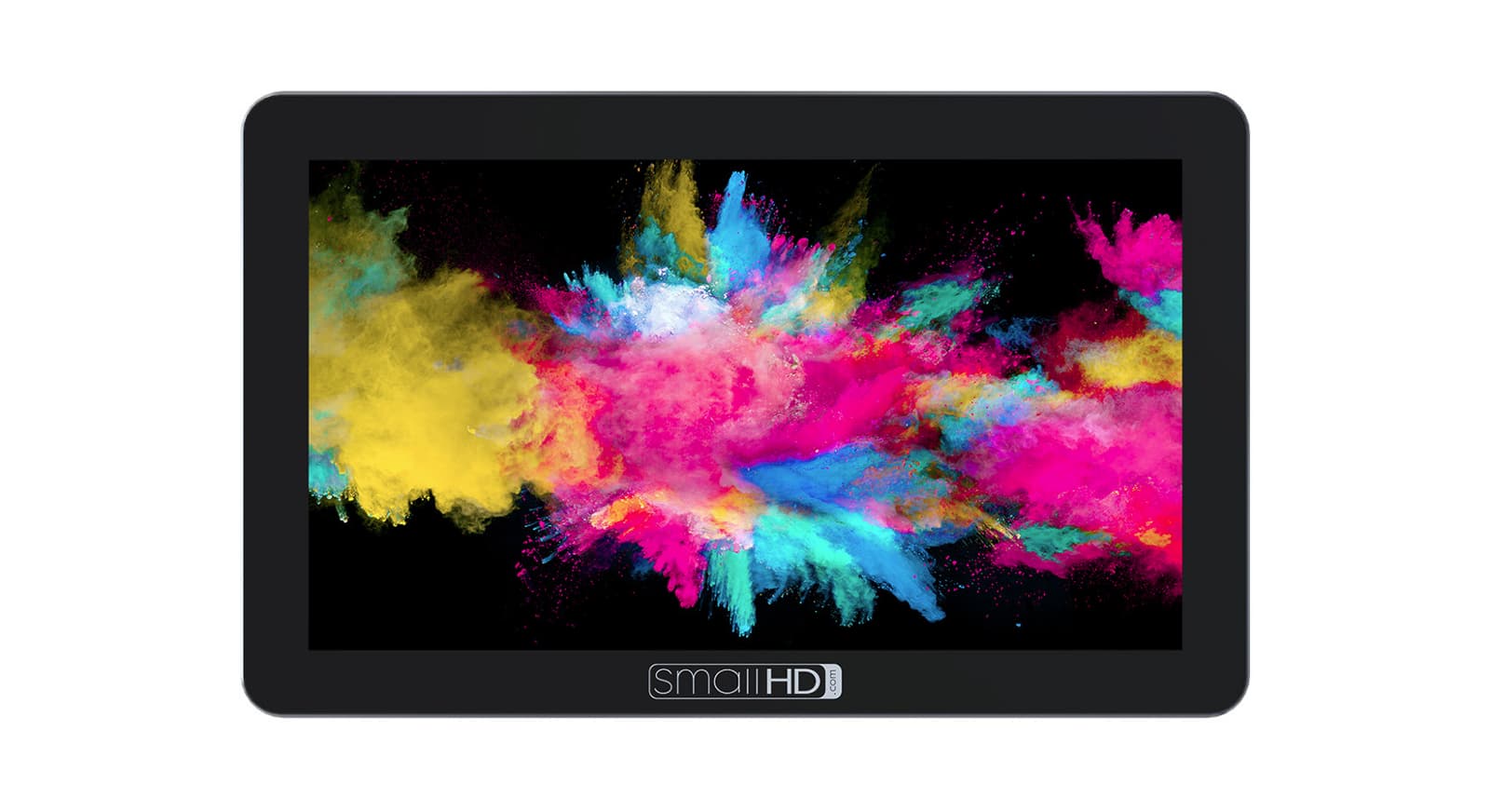
SmallHD FOCUS OLED

Retail: $699

This is the ultimate color accurate touch screen monitor for your DSLR/Mirrorless camera. Featuring a color-rich 5.5 OLED display, L-Series battery bracket for power and the ability to power your camera via the 7.2v Power Output. The FOCUS OLED was designed specifically for small run and gun setups that need the powerful SmallHD toolset in an ultra lightweight and minimal form factor. With Page-builder OS, you have quick access to tools like HD Waveform, 3DLUTs, False Color, Focus Peaking and so much more.

smallhd.com

SlingStudio

Wireless Multi-camera Livestreaming

SlingStudio is a wireless multi-camera broadcasting platform with 4K post-production support. Monitor, record, switch, edit and stream live HD-quality video wirelessly to Facebook, YouTube and Vimeo using smartphones, professional cameras or other video recording devices. Save hours of setup time and simplify post-production with a single storage device and time-aligned files. SlingStudio is portable, affordable and easy to use.

myslingstudio.com

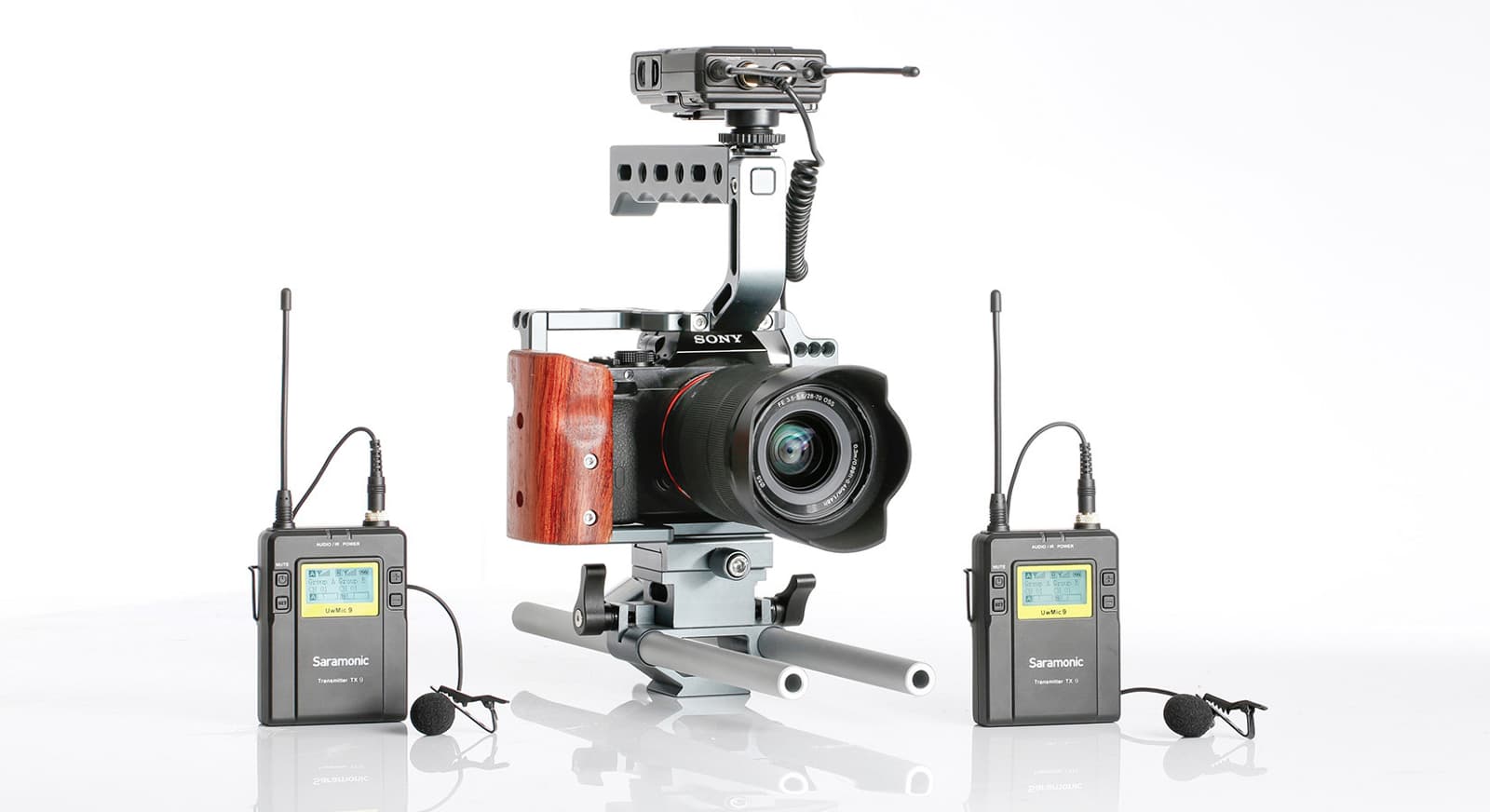
Saramonic UwMic9 RX9+TX9+TX9

The Saramonic UwMic9 RX9+TX9+TX9 is a dual-channel, camera-mountable, UHF wireless system enabling you to use two lavalier mics with only a single compact receiver connected to your camera. This system is perfect for DSLRs, video cameras or audio recorders for content creation. Remarkably easy to use; just plug in the mics, turn on and begin recording. UwMic9 features rugged metal construction and delivers clear, broadcast-quality sound.

Optional transmitters and output cables (sold separately) provide unrivaled flexibility, making it possible to add a handheld microphone or plug-on transmitter, as well as connect to smartphones, tablets, computers, GoPro cameras and more.

saramonicusa.com

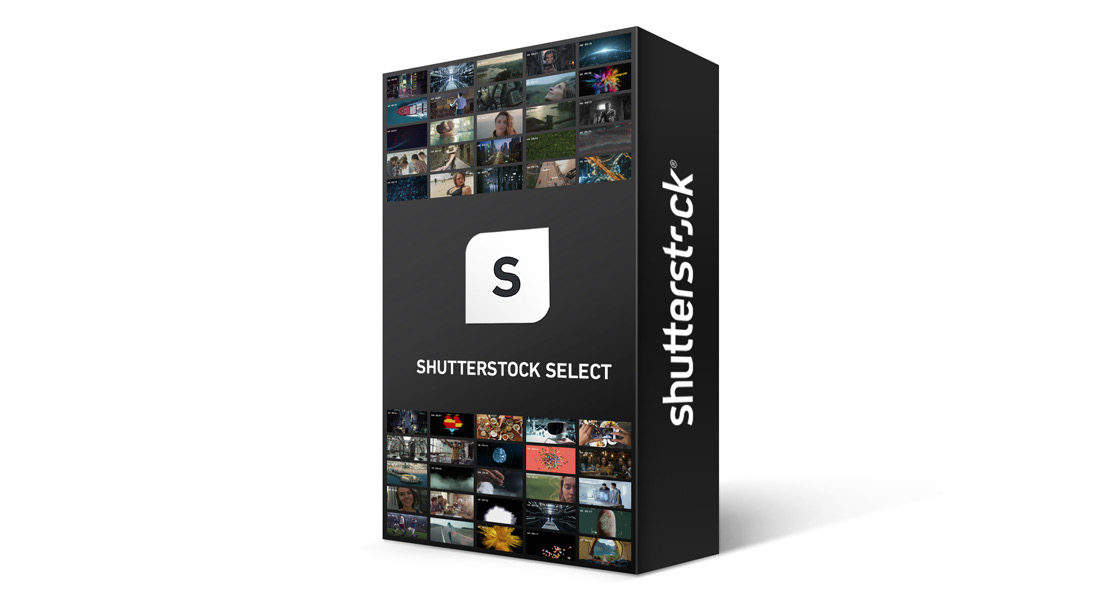
New: Premium videos by Shutterstock

Discover Shutterstock Select — a brand new range of cinema-quality stock footage. You’ll supercharge your YouTube videos with clips shot by expert filmmakers on the latest high-end gear. This new footage range is a perfect way to give your work a super-polished, big budget look. Whatever shot you need — aerials, landscapes, or beyond — Shutterstock Select has you covered. This holiday season, elevate your work with exceptional 4K and HD stock clips.

shutterstock.com

Audio-Technica Streaming/Podcasting Packs

Each of the four Streaming/Podcasting Packs from Audio-Technica gives content creators a versatile, easy-to-use, and cost-effective boom microphone setup with an accompanying pair of monitor headphones. The packs include a 20 Series microphone (with either a USB or XLR output), stand mount, ATH-M20x professional monitor headphones, and a custom boom arm with desk mount. The boom arm features full 360-degree rotation and adjustable, spring-stabilized joints for optimal mic placement, and comes pre-threaded with the appropriate USB or XLR microphone cable for a sleek, clutter-free appearance.

audio-technica.com

Roland V-02HD

The Roland V-02HD Multi-Format Video Mixer is an ultra-compact two-input switcher and video production problem solver for a wide range of production settings including livestreaming and presentations. The V-02HD is a ‘micro switcher’ that’s small enough to fit into equipment cases and camera bags.

The V-02HD is available in value-packed switcher/remote footswitch/cabling bundles that facilitate immediate use. Designed to integrate with typical video production workflows, the V-02HD has a screw tap for standard video mounts and its ultra-lightweight design makes it ideal for mobile video applications. V-02HD bundles are available at your nearest authorized Roland Pro AV reseller.

proav.roland.com

Premiere Rush is rushing in for the holiday season

What would be a great gift for a video editor? Premiere Rush CC is a new cross-device, editing program that combines Premiere Pro, After Effects, and Audition into one powerful app. Rush shares everything to the cloud, from your phone to tablet to your desktop. Video editing on the go has never been easier! With Rush, you can capture video, color-correct, edit, record, clean up audio and even post to social media. Starting at just $9 a month ($19 for teams), video editors will have everything they need no matter where they go during the holidays.

adobe.com

Happy shopping!

Whether you’re shopping for yourself or one of your fellow creators, we hope this year’s gift guide has provided some much-needed inspiration. Now, when your grandma ambushes you with the dreaded “What’s on your wish list this year?” you’ll be prepared to ask for something that will help propel your channel to the next level.

Adventure Filmmaker’s Thoughts on the Canon EOS R System After 24 Hours

This post is brought to you by Canon and the Canon EOS R. To learn more about the new EOS R system, visit Canon’s website.

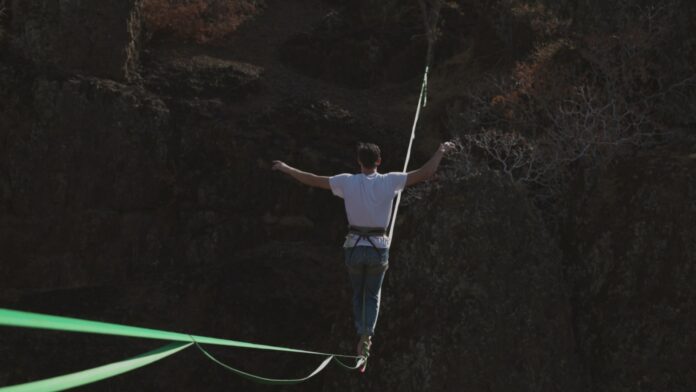
It was a crisp fall morning when Nick Nelson set off to capture his latest adventure story. With the new Canon EOS R camera in hand, he was on his way to record an extreme sport called Highlining. One step away from tightrope walking, Highlining is when someone crosses over a large gap on a narrow strap, high above the ground. That gap is where the extreme part comes in. It was Nick’s challenge to capture two of his friends as they traverse across a gap 150 feet above a creek.

It would be one thing if Nick shot from the sidelines, but instead, he dons a climbing harness and joins in. With camera in hand, Nick takes the same risk as the climbers but still needs to capture the story. “I just love telling stories,” Nick explains when asked why he makes videos. An adventurer at heart, Nick is all about capturing each person’s individual story the best way he can. He has a passion for telling stories of both travel and adventure, and it’s in these situations where his skill and his tools are put to the test.

Along with adventure videos, Nick has had the opportunity to work with Visit California, shooting footage for their advertising campaign. It allowed him to shoot all up and down the Golden State. At 23, Nick traveled the state to tell the story of the land, the people and his experiences. In an upcoming trip, Nick will travel to Bolivia to give voice to a woman who has been sexually abused. Nick’s aim for his work and social advocacy is to “hopefully, create change in the world”.

Through his work on a Visit California advertising campaign, Nick’s had the chance to shoot much bigger and more expensive cameras: “I’ve carried a heavy camera or two for remote shooting. But you don’t need a huge camera to tell a good story and capture a beautiful image.” For the Highlining shoot, Nick was equipped a bit differently — he was shooting with the new Canon EOS R system.

Nick had never used the EOS R system before that morning. He was equipped with the full EOS R system, which included the camera body and two native lenses: the Canon RF 50mm F1.2 L USM and the Canon RF 24–105mm F4 L IS USM. But because the EOS R camera can use Canon EF lenses with an adapter, Nick also paired the Canon Control Ring Mount Adapter EF-EOS R with the Canon EF 16–35mm f/2.8L III USM lens for a wider field of view.

“We hiked into the spot [we were going to shoot] and when you’re hiking, you don’t carry around something heavy … it’s a light camera; it’s easy to hold.” He continues, “The reality is, when you’re getting into filmmaking, you don’t need a big cinema camera. What you need is a lightweight camera that shoots 4K.”

In addition to a lightweight form factor, the EOS R camera also shoots internal C-log and offers a shoot assist for those who aren’t used to the flat look of log. “When I was setting up, I set up C-log and got to see it in-camera,” Nick says, “it was just amazing.” The fully articulating swivel touchscreen LCD made a big impact, as well. “When I’m shooting in the middle of a climb, the flip of the screen makes all the difference. You can’t move much, so being able to get the screen where you need it, so you can get the shot you want, is such a big asset.”

But for Nick, the standout feature was the added control ring on the native lenses and on the EF to RF lens adapter. “I set it to control ISO,” he explains, “and for the rest of the day, I didn’t need to look down to make adjustments.” The new control ring found on all of the RF lenses can be customized to control just about anything you want.

Nick’s time with the EOS R system was short, but he had a great day capturing his friends Highline adventure. The shoot resulted in, as he puts it, “amazing-looking footage.”

To learn more about the EOS R system, the new lenses and the EF to RF lens adapter visit usa.canon.com/eosrsystem.

Advertisement
Advertisement
communal
communal